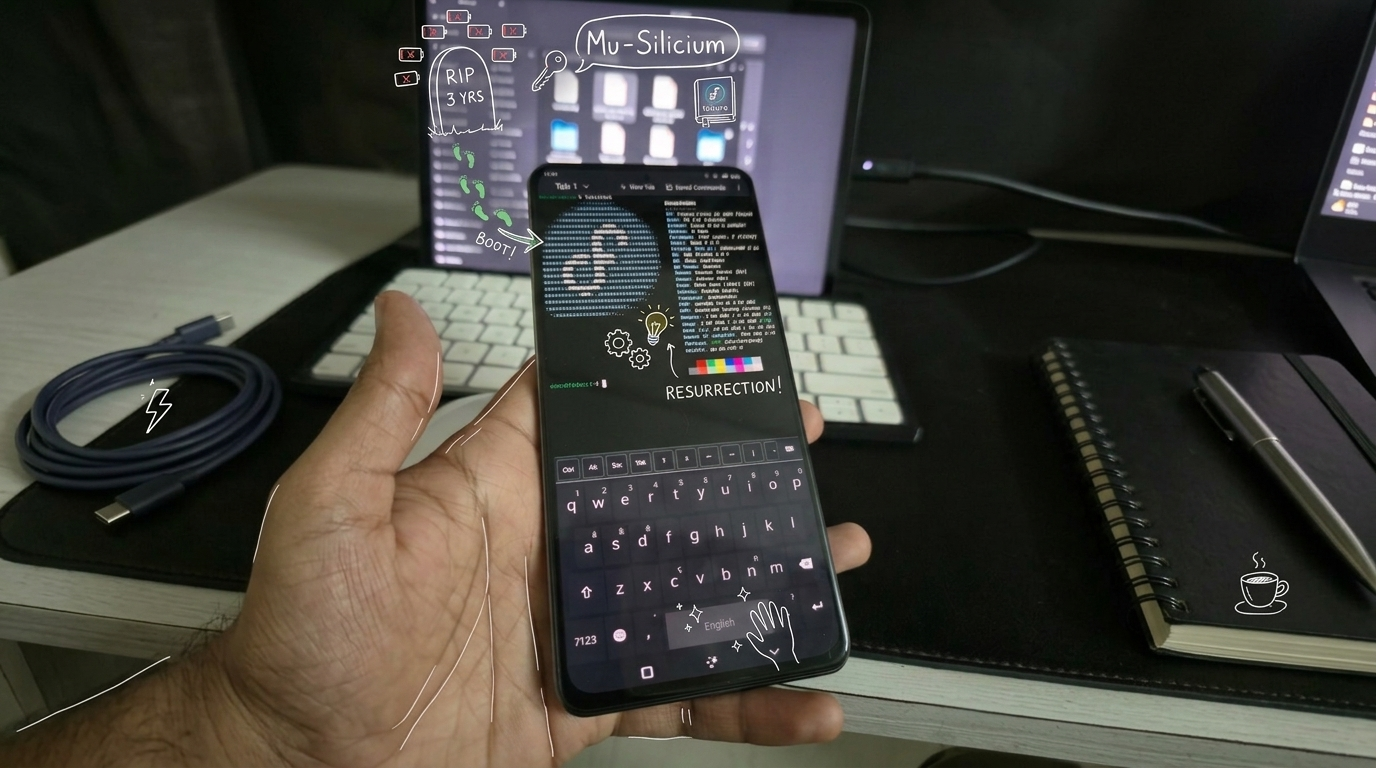
TL;DR: Poco F3 (alioth) can boot Fedora 43 / KDE Plasma Mobile via Mu-Silicium UEFI. Skip refind, build a Unified Kernel Image with ukify, fastboot-boot it. Most hardware works; cameras, modem, GPS, microphone, and vibration motor don’t yet. Full story below.
This is the story of how alioth (Poco F3), which had been lying dead in my desk drawer for the past 3 years, came back to life.
The death
I used to run this as my primary phone about 3 years back, running a custom ROM at the time. One day while I was using it, the screen went blank and the phone stopped responding altogether. I had worked with custom ROMs quite a bit by this time, so I pulled up my laptop, tried flashing stock MIUI (didn’t work), and then a handful of other custom ROMs (also didn’t work). All that was left working was fastboot and recovery, nothing past that point.
I took it to one of the authorized service centers and they gave up too. Their only suggestion was a full motherboard replacement, quoted at 70% of the phone’s price. I let it go, bought a new phone, and from that point on it sat dead in my drawer.
Little hope
Sometime in June 2025 I came across Project Silicium1, an effort to port Project Mu2 (Microsoft’s UEFI implementation) to arm64 phones so they could boot mainline Linux or Windows.
I went through the supported CPUs and devices and there it was, alioth had support. I wanted to boot Linux, gave it a try, and I could see the UEFI booting and even the refind bootloader, but it didn’t boot past that.
So I changed direction to see if I could install Windows. To my surprise Windows booted pretty well, but it had very limited support. It couldn’t connect to the internet, which made it more or less useless. But that gave me hope that the device could still work, so I reached out to people from the Silicium community, couldn’t get any help getting either Linux or Android to boot on it.
(1).gif)
Another try
One morning I checked again to see if someone had managed to boot it successfully, and indeed someone had, they posted about getting Fedora and Arch running on their Poco F3 (reddit thread).
So I started over, this time accompanied by an AI (Opus 4.7) to help whenever I got stuck. I followed the official Silicium guide manually first to see if I would be able to boot, but only ended up at the same blank refind bootmanager screen as before, no option to boot the underlying Arch system.
Hours of guessing
The first few hours were a comedy of dead ends. I tried every refind config tweak that seemed plausible. Removing the broken textmode directive. Pointing the loader at the uncompressed kernel instead of the gzipped one (gzipped kernels can’t be EFI-booted directly on aarch64, only the uncompressed Image is a valid PE32+ binary). Writing manual menuentry blocks instead of relying on auto-detection. Stripping the config down to one line.
Every change produced the exact same screen. The refind logo at the top, nothing below.
At some point I started suspecting that maybe a different bootloader was running than the one I was editing. Wrote a little script that mounted every FAT and ext partition on the phone and searched for bootaa64.efi. There was exactly one. It was the binary I had been editing all along. So refind WAS reading my changes, it just wasn’t doing anything visible with them.
Obvious in retrospect. It took Opus to suggest it: enable refind’s debug log. One line log_level 4 in the config, reboot, dump the 44 KB log file from the ESP. The log ended at this line:
Setting screen resolution and mode
That was it. refind was calling EFI’s GraphicsOutput->SetMode() to switch to its preferred resolution, and Mu-Silicium’s UEFI was hanging the firmware inside that call. refind never reached the part where it would scan for kernels or render menu entries. None of my five hours of config changes could possibly have mattered, because refind was dying long before it read most of them.
Lesson, written on a Post-it for next time: when several changes that should produce different results all produce the same symptom, stop changing things and turn on logging.
Around the bootloader
If refind hangs on a UEFI graphics quirk we can’t fix, the natural question is: do we even need refind? The Linux kernel on aarch64 is itself a valid PE32+ EFI binary, UEFI can launch it directly. The only catch is getting the kernel cmdline, the device tree, and the initramfs to it without a bootloader in between to wire them up.
The answer turns out to be a Unified Kernel Image (UKI). Bundle the kernel, cmdline, DTB, and initramfs as embedded PE sections inside a single binary that’s wrapped by systemd-stub.efi. UEFI launches the bundle from the standard fallback path, the stub locates the embedded sections and hands them to the kernel’s EFI stub, kernel boots. No bootloader menu, no graphics initialization done by anyone except the kernel itself.
My first UKI attempt used raw objcopy --add-section. It produced a binary with sections scattered across virtual memory like buckshot. UEFI tried to allocate ~540 MB of contiguous virtual address space, gave up, and reported “failed to find an operating system”. Replaced objcopy with the proper tool, ukify from the systemd project, and the resulting binary loaded fine.
Power-cycled the phone, ran fastboot boot Mu-alioth-2.img, and for the first time in three years the screen showed something other than a logo: a wall of kernel boot messages scrolling past. UEFI had handed off cleanly. The kernel was alive. systemd was starting services.
Almost there
The kernel made it all the way to systemd, then dropped into emergency mode.
The Fedora rootfs I was using had been packaged by someone else who had hardcoded their device’s UUIDs into /etc/fstab. My root partition mounted fine, the cmdline I had baked into the UKI used the correct UUID, but the fstab also had a /boot entry with pass=2, which made systemd run fsck on a UUID that didn’t exist on my device. fsck stalled, boot blocked, emergency mode.
Two sed commands later, fstab matched my device’s actual partitions. Reboot. Past emergency mode. A real login prompt appeared.
The default username was devu and I had no idea what the password was, the previous owner of this image hadn’t shared it. Mounted the partition again, replaced the password hash in /etc/shadow with one for “fedora”, added devu to the wheel group for sudo. Reboot.
devu / fedora
Worked. Three years of this phone collecting dust, and now it’s running Fedora 43 with KDE Plasma Mobile.
What works
Mu-Silicium’s mainline kernel for alioth is in surprisingly good shape.
Working:
- Display, touch
- WiFi (with firmware loaded), Bluetooth
- Speakers, battery monitoring
- Charging (slow)
Not working yet:
- Cameras
- Modem, GPS
- Microphone
- Vibration motor
Not a daily driver, but as a hacker phone or a pocket Linux machine it’s already useful, and most of what’s broken is firmware-loading work, not fundamental hardware support.
Working with the AI
Working with Opus through this whole process was instructive. There were a lot of dead ends, at least five different refind config tweaks that all produced identical empty screens, an entire UKI build with objcopy that produced an unloadable binary, a vbmeta flash that didn’t fix the boot problem because slot A had been independently marked unbootable for unrelated reasons. Each of those would have been a multi-hour stuck point on my own.
What I noticed was that the AI didn’t actually know anything I couldn’t have found myself. Almost every fix we used is documented somewhere, refind’s logging directive sits in its own config-sample comment, ukify is on every distro wiki, the vbmeta-disable flow is on a hundred Xiaomi forum threads. The skill was in steering it: “here’s the symptom, here’s the log, what if we do it this way” gets back something specific to try in thirty seconds, instead of opening another browser tab and reading three forum threads to extract one usable hint. The AI was a much faster way to surface information that was already out there. It also kept context across the session, when I’d report “still empty refind screen,” it would ask whether the missing-config warning had moved or stayed the same, a better question than I would have asked myself at hour six.
The single most valuable thing it surfaced was telling me to enable refind’s debug log. That tip is one search away in refind’s own docs; I’d have found it eventually. The difference was finding it five minutes after asking, instead of on hour eight of trying configs, the difference between staying with the problem and putting the phone back in the drawer.
For anyone with an alioth lying dead in a drawer: it’s revivable. A step-by-step guide is coming next.
Footnotes
-
Project Mu is an open-source, modular adaptation of TianoCore’s EDK II (a reference implementation of UEFI) developed by Microsoft. https://microsoft.github.io/mu/ ↩